27 May 2021
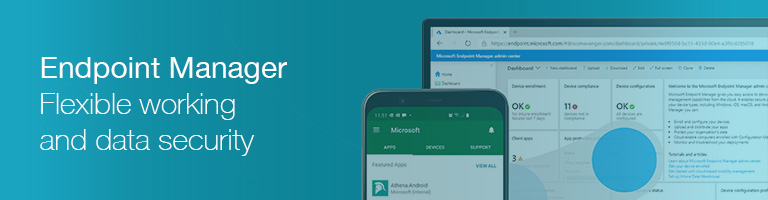
Endpoint Manager keeps flexible working secure
Flexible working is now a way of life with many different devices, some of them colleagues' personal devices, all accessing your company data from a variety of locations. So, how do you retain flexible productivity and data security at the same time?
Microsoft Endpoint Manager makes it possible to deliver a consistent and secure working environment for all colleagues across all devices and locations. This dramatically improves flexible working across your business and keeps company data safe and secure. It also works seamlessly with Windows Autopilot to provide complete protection for devices fresh out of the box.
Endpoint Manager enables you to easily manage all devices that have your company data on them. Even if colleagues are using personal smartphones and tablets, they can be 'enrolled' with Endpoint Manager which will manage the business applications and data and leave personal apps and data alone. By simply ring-fencing business data on these devices, businesses can ensure data is not copied or shared with unauthorised parties. Data can even be remotely wiped without affecting other applications. Endpoint Manager provides freedom and flexibility for colleagues and control and security for businesses.
Endpoint Manager is designed to manage your devices
"Using Endpoint Manager, we can create a set of policies for each business to ensure that staff have the right applications and right data permissions regardless of where they are or what devices they are on," explains Chris Joberns, Strident's Managing Director.
These policies can be applied to devices currently connected to the business network or any new devices that connect. "For example, if a colleague tried to access the company network using a personal iPad, Intune would lead them through an enrolment process. This may include requirements such as 'is a device passcode being used?', 'does this device have the latest security updates?' and 'are the latest Office apps on this device?'," adds Chris.
Works for PCs, tablets and smartphones
Endpoint Manager consists of two parts; Mobile Device Management (MDM) and Mobile Application Management (MAM). Although MDM and MAM refer to 'mobile devices' it also covers all Windows 10 and Windows 8.1 PCs even if they are traditional desktops. In addition, Endpoint Manager is able to manage Apple devices (iPhone and iPad) as well as Android devices (Samsung Galaxy etc).
"We work with each business to establish a set of policies that work for them. This starts with creating groups, such as 'sales' and 'accounts', and then providing that group with the necessary resources and permissions. When a user is added to a group, and they can belong to more than one, they adopt the permissions of that group," explains Chris.
As Microsoft Gold Partners, Strident have proven expertise in delivering a modern flexible working IT infrastructure for your business. To find out more, contact us on 01473 835 280.


