
26 April 2021
Microsoft Teams adds Webinars to its feature list
Microsoft continues to add more and more functionality to Teams as the application becomes the central point for internal communications and productivity. The availability of webinar capabilities will roll-out during April and May 2021.
Webinars in Teams
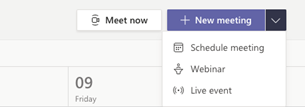
When scheduling a meeting, you will soon see the Webinar option on the Calendar drop down menu in Teams. Once you create a Webinar, Teams will all create a registration page with email confirmations for registrants. In addition, there will be reports available for registration and attendance.
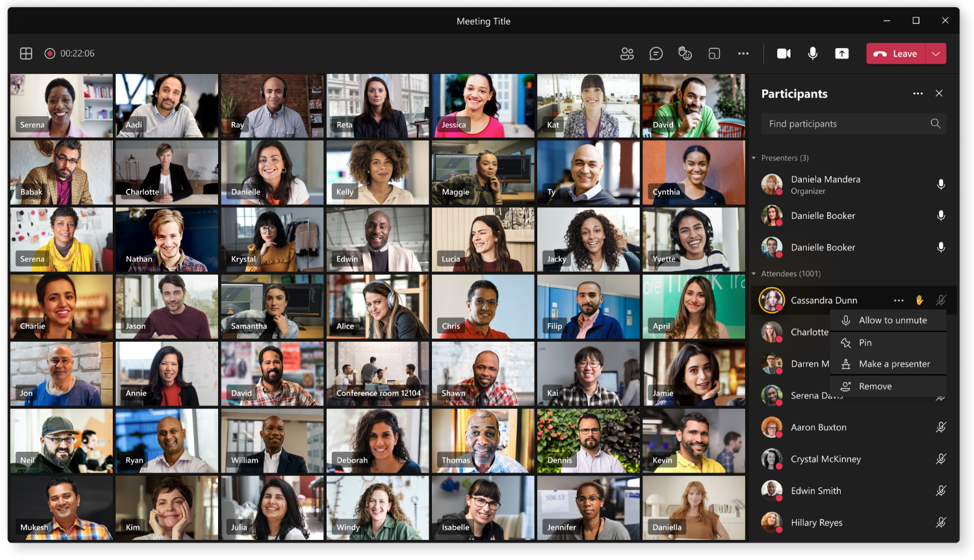
Webinars provide a host of features, such as Presenter Mode, and you can disable attendee audio, video, and chat, and use lobby controls to manage access.
Keeping up to speed with Teams
Keeping up with all the changes with Teams and its secure deployment is no small task. Senior Systems Engineer, Scott Stallen, recently attended a Microsoft Teams Certification Course and notes the level of investment that Microsoft in putting into the application.
"Teams is clearly the central application in the Office environment. I'm delighted that the course didn't reveal anything that Strident is not already proficient at," says Scott. "We take a careful and considered approach to the creation of teams within an organisation and work closely with customers to set policies that give users the functionality they need to do the job but restrict access where necessary to maintain security and prevent data loss."
The course also covered deploying Teams as a VOIP (Voice over IP) phone system. "We're seeing more and more customers choose this system as a way of integrating their communications internally and externally, and reducing their telephony costs. Again, it's great too see that we are already following best practices for reliable and secure installation," adds Scott.
To find out about moving your business to Teams, call Chris Joberns on 01473 835 280.


