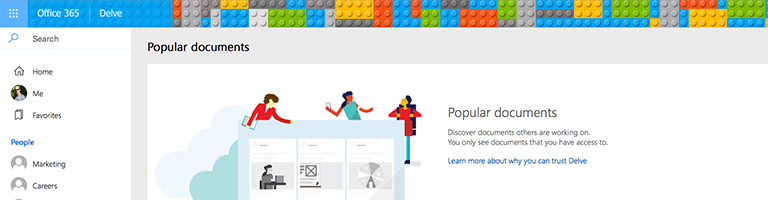
Find relevant documents fast with Microsoft Delve
Microsoft Delve helps find and organise the documents you and your team need with without having to search your network manually and it’ll make suggestions too.
As more and more of your business information is being created digitally, staying on top of it all can become a job in itself. To help this, modern businesses are moving away from emailing attachments back and forth between colleagues and are using boards and team folders to collect relevant information together.
"Microsoft Delve is a great counterpart to Microsoft Teams and allows users to quickly identify and manage documents that are relevant them. Delve will also make suggestions of documents that may be useful based upon users' permissions and teams they're in," explains Chris Joberns, Strident managing director. "Delve doesn't change any file permissions and will only show documents that the user is allowed to see."
In order for Delve to work, your business must upload its documents to Microsoft's Cloud Platform. This means Office 365 users must upload files either to their own OneDrive for Business folder or to an Office 365 Site, such as a Team's folder. If you place a document in your own OneDrive, nobody will find it unless you share it, but it will appear in your own Delve search.
"It may seem daunting to upload all your files to the cloud but this is the best was to leverage the powerful search, share and collaboration technologies in Office 365," adds Chris. "Putting files in the cloud doesn't mean allowing everyone to see everything, the powerful permission controls ensure that doesn't happen."
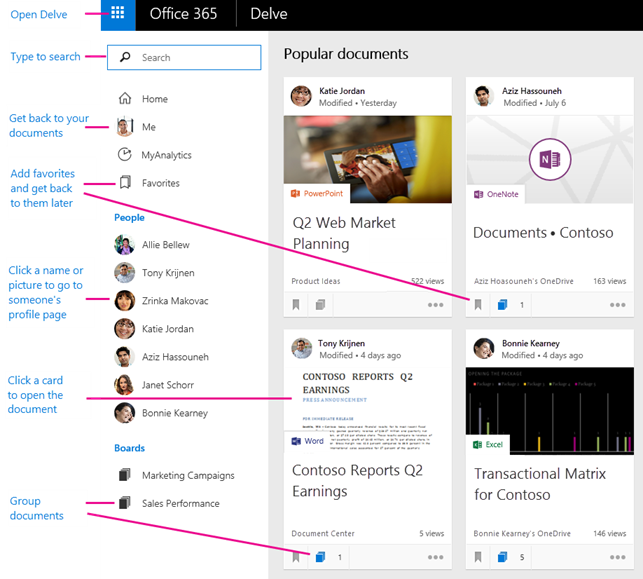
Delve enables you to quick locate files based on who created, who it was shared with or which team or board it was added to, without having to search folders or remember where a colleague stored it. Once located, you can add it to your favourites to find again quickly.
Delve will also highlight documents that may be of interest to you. Documents that are active among your closest colleagues will also show up as important documents to people in their networks. The more often a document is viewed, edited or shared, the more likely the document will be highlighted in your colleagues' Delve searches.


